Group Creation
Organize your students into groups by subject, level and specialty in a visual and intuitive way. Full control of capacity, teacher assignment and management of available seats in real time.
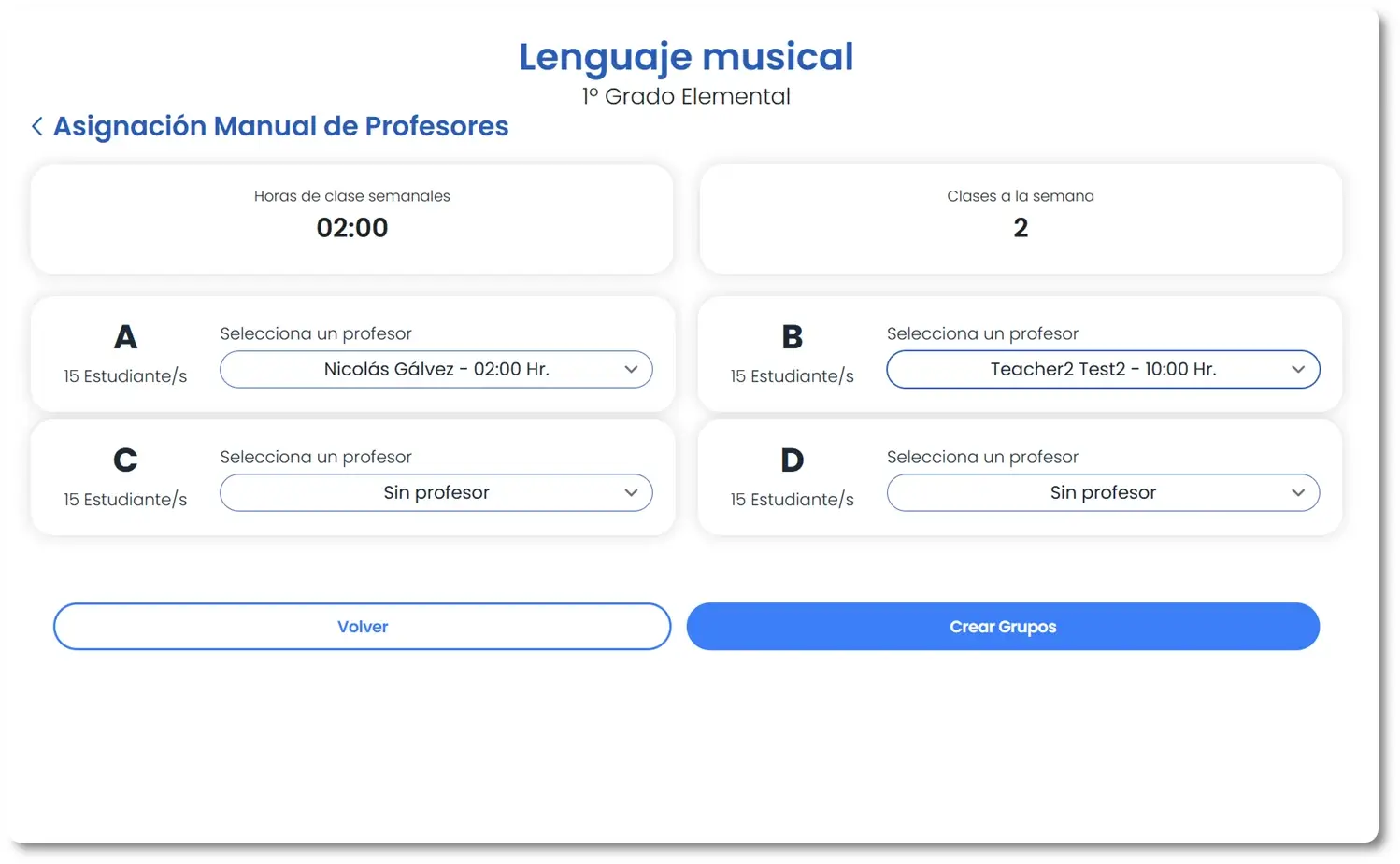
Visual Group Creation
Create groups in seconds by assigning subject, teacher and students. Amadeus shows you availability and conflicts in real time to avoid clashes.
- Quick group creation by assigning subject, course and specialty
- Teacher assignment with automatic availability check
- Drag and drop students between groups to reorganize easily
- Automatic detection of schedule overlaps between groups
- Duplication of last year's groups to speed up planning
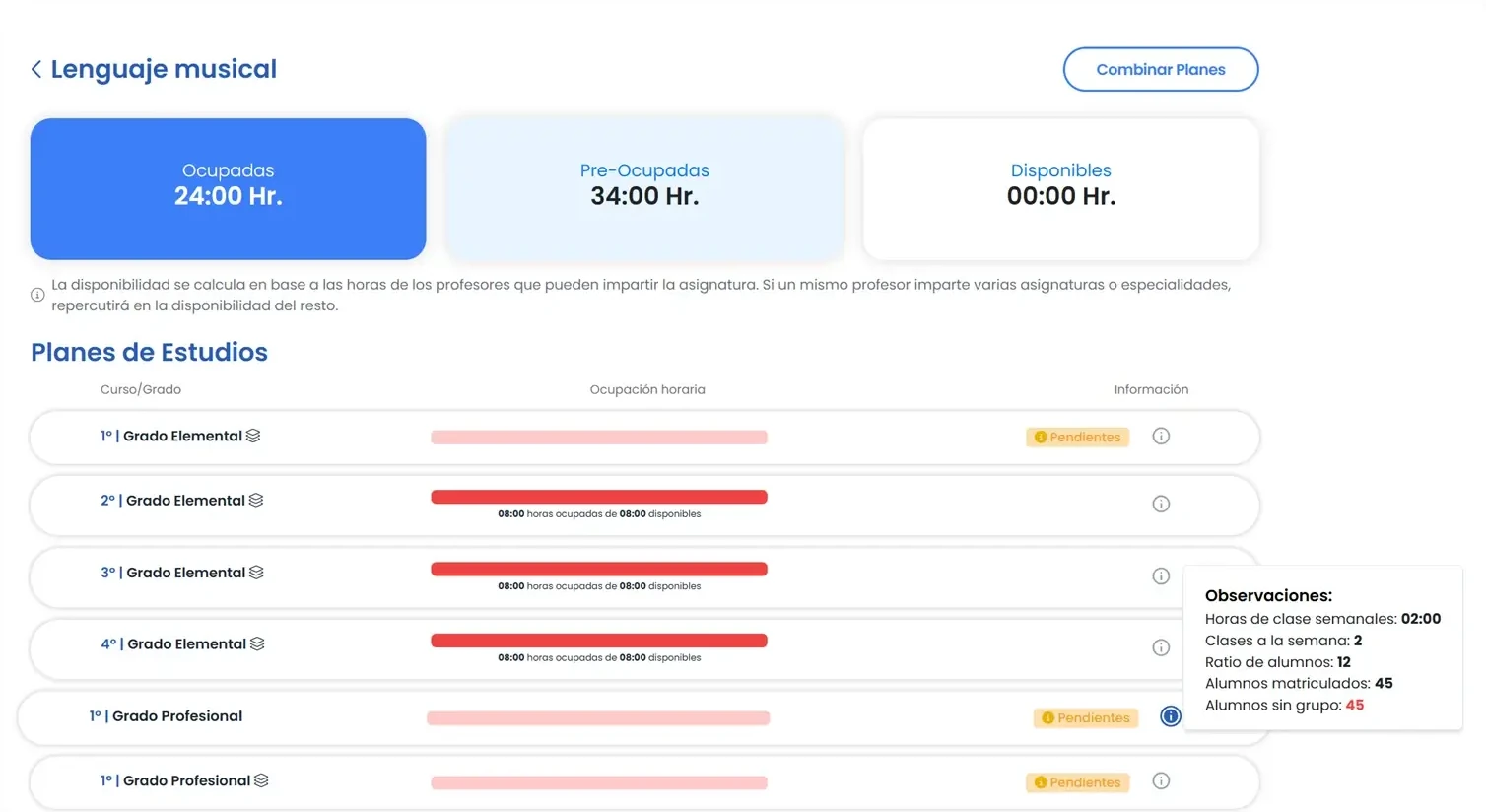
Capacity and Seat Control
See at a glance how many seats are available in each group. Ideal for the enrollment period and for balancing teacher workloads.
- Maximum student ratio configurable by subject and class type
- Visual occupancy indicators: green, amber and red
- Alerts when a group is close to filling its capacity
- Report of available seats by subject and specialty
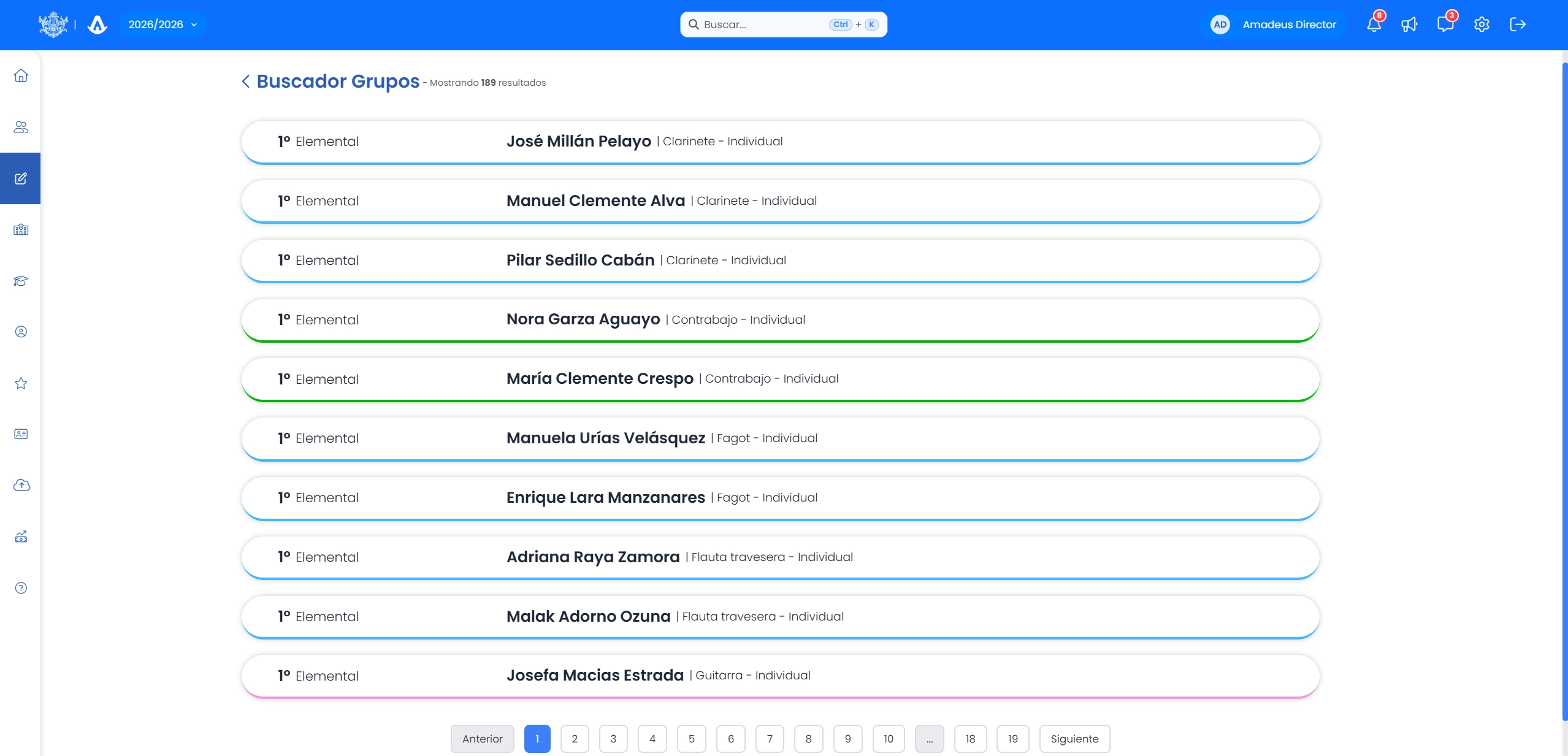
Comprehensive Group Management
View, filter and manage all your school's groups from a single panel. Any change is automatically reflected in schedules and assessments.
- Complete list of groups with filters by subject, teacher and course
- Group profile with student list, schedule and assigned teacher
- Group changes automatically reflected in schedules and the teacher's notebook
- Export of group lists in PDF and Excel
- History of groups by academic year always available
Explore more features ofAmadeus
Study Plans
Design your school's academic structure with subjects, specialties and requirements.
View solutionSchedule Builder
Generate optimized schedules for teachers, students and rooms with the Amadeus visual assistant.
View solutionMaster Timetable
View your school's full master timetable with all schedules, rooms and teachers at a glance.
View solution