Every September the same scene plays out in hundreds of music schools and conservatories: management locked away for days with a whiteboard, an Excel sheet and dozens of requests from families, trying to piece together an impossible puzzle. The schedules of a music education center are nothing like those of a regular school or a language academy: they mix individual instrument lessons, group subjects, ensembles and rooms with specific resources. In this guide we walk you through the step-by-step method used by centers that finish their schedules in days — not weeks — the most common mistakes, and the options available to automate the process.
Why music school schedules are a problem of their own
If you try to apply the scheduling logic of a regular school to a music school, you will fail. These are the particularities that turn the music timetable into a problem of its own:
- Individual lessons of variable length — the same piano teacher may give 30, 45 and 60-minute sessions depending on the student's level, all in the same afternoon.
- Chained group subjects — music theory, choir, orchestra and chamber music must be coordinated so the student can attend all of them without dead gaps or overlaps.
- Rooms with specific resources — the percussion class can only take place where the percussion is; the room with two pianos is the only valid one for repertoire with an accompanying pianist.
- A compressed time window — the vast majority of activity is concentrated between 4:00 pm and 9:30 pm, when students get out of school. All the demand competes for the same hours.
- Part-time teaching staff — many teachers work at two or three centers and their availability is a mosaic of scattered afternoons.
- Families with several enrolled children — they (reasonably) expect their children's schedules to coincide or chain together so they only make one trip.
The combination of all these constraints makes the number of possible configurations explode, and means a small change — a teacher who can no longer come on Tuesdays — forces you to reshuffle dozens of classes in a cascade.
Before you start: the information you need to gather
80% of scheduling problems come from starting to fit classes together without having all the data. Before moving a single class, gather:
- The teachers' real availability — in writing and with specific time slots, not a vague "I can do most afternoons". Include travel time between centers if the teacher works at several.
- Confirmed enrollment by subject and level — how many students of each instrument, year and group subject you will actually have, not an estimate.
- Family preferences — collected with a structured form (possible time slots in order of preference), never through loose WhatsApp messages. And with a clear deadline.
- Inventory of rooms and resources — what instruments and equipment each room has, and which subjects can (or cannot) be taught in each space.
- Regulatory constraints — the official curriculum if you are an authorized center, maximum ratios per group subject and teacher rest periods under the applicable collective agreement.
With this information in front of you, conflicts become visible before you create them. Without it, you discover them once the schedule is published and the avalanche of change requests begins.
The step-by-step method: from group classes to individual lessons
The golden rule is simple: you schedule first whatever has the least freedom. This is the order that works:
Step 1 — Fix the large ensembles
Orchestra, band and choir involve dozens of students and several teachers at once: they are the most rigid pieces of the puzzle. Place them first, usually in the slots with the greatest general availability (Friday afternoon or Saturday morning at many centers).
Step 2 — Place the group subjects by year
Music theory, harmony or chamber music group students of the same level. Distribute them so that each year has its group classes concentrated on one or two days: it will make the next step easier and reduce the families' trips.
Step 3 — Assign the rooms with specific resources
Before touching the individual lessons, reserve the "unique" spaces: the percussion room, the room with the grand piano, the orchestra hall. If a subject can only be taught in one room, that room rules the schedule, and it is worth managing its occupancy with a room booking system to avoid double assignments.
Step 4 — Chain the individual lessons around the group classes
Here is the trick that sets a good schedule apart: the individual instrument lesson should fall right before or right after the student's group class. A student who comes on Tuesday for music theory from 5:00 to 6:00 pm should have their instrument lesson on Tuesday at 6:00 pm — not on Thursday at 7:30 pm. Every extra trip you save a family is one less reason to drop out mid-year.
Step 5 — Publish a draft and open a change window
No schedule survives first contact with the families intact. Publish a first version well in advance, define a closed window for requesting changes (one week is reasonable) and manage requests through a single channel. Once the window closes, the schedule is frozen.
Amadeus: the digital baton for your music school.
Shall we talk directly?
The fastest way is to talk. Tell us about your school and we’ll show you how Amadeus adapts to your needs. No strings attached.
The 6 most common scheduling mistakes
- Starting with the individual lessons. It is the most tempting approach (they are the majority) and the most mistaken: individual lessons are the flexible pieces of the puzzle and must be placed last.
- Not accounting for teachers' travel time. A teacher who finishes at another school at 5:00 pm cannot start with you at 5:00 pm. Leave realistic travel margins.
- Collecting preferences via WhatsApp. Loose messages, with no structure and no deadline, guarantee a chaos of versions. Use a single form with a deadline.
- Working in an Excel file with no version control. When three people edit "schedules_v7_FINAL_good.xlsx", someone ends up overwriting someone else's work. And nobody knows which version each family saw.
- Ignoring siblings. If two siblings come on different days, the family makes four trips a week. It is one of the main silent causes of dropouts.
- Publishing late. Families organize their entire September (extracurriculars, sports, languages) around your schedule. Every day of delay means students filling their afternoons with another activity.
Paper, Excel or specialized software: which to choose
| Method | Who it works for | Where it breaks down |
|---|---|---|
| Paper / whiteboard | Very small centers (< 30 students, 2-3 teachers). | As soon as you need to communicate changes or check the schedule remotely. |
| Excel / Google Sheets | Medium-sized centers with a single person managing the timetable. | It does not detect conflicts (duplicated teacher or room), notifies nobody of changes, and versions multiply. |
| Specialized software | Any center from ~50 students up, or with several teachers and rooms. | It requires choosing a tool built for music education, not a generic appointment manager. |
The key difference is not in drawing the timetable, but in everything that happens afterwards: detecting overlaps automatically, notifying teachers and families when something changes, and letting each user see their own schedule updated in real time, without forwarding PDFs.
How schedules are built with Amadeus Magister
Amadeus Magister was born precisely from this problem: its founder, a conservatory teacher, endured years of Excel schedules. That is why the schedule creation module is designed for real music school operations:
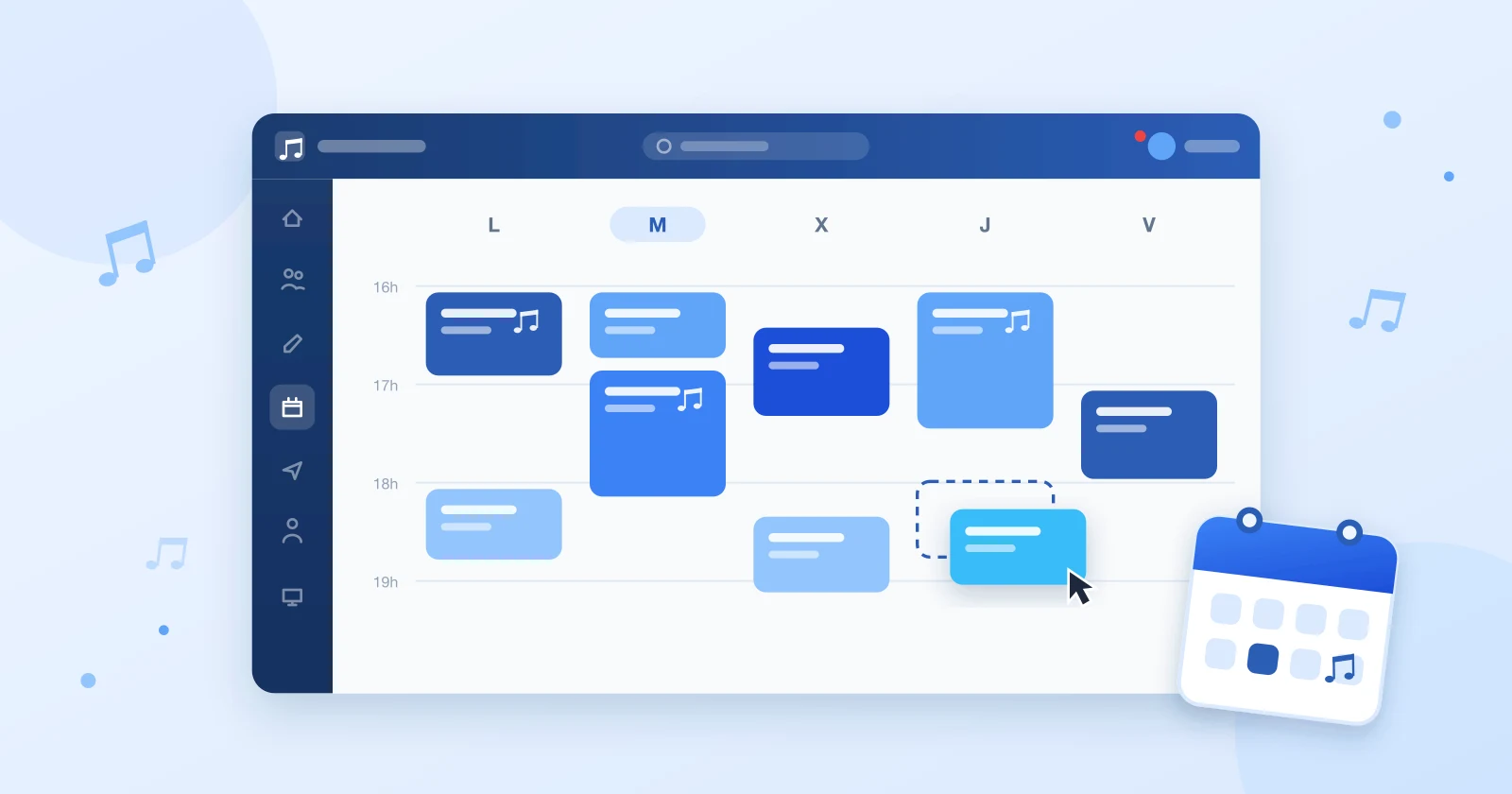
- Visual timetable — you drag and drop classes onto a weekly grid where you see teachers, rooms and groups at the same time.
- Real-time conflict detection — if you try to assign a teacher, a student or a room that is already busy, the system blocks it instantly. No more overlaps discovered in October.
- Room and resource management — each room has its own spaces and equipment profile, so percussion can only land where the percussion is.
- Automatic personal schedules — every teacher, student and family sees their own up-to-date schedule from their account. A change propagates to everyone affected without sending a single manual email.
- Family view — siblings appear together, which makes chaining their lessons and saving trips trivial.
The result at the centers already using it: schedules that used to take two or three weeks of work are closed in a few days, and September's avalanche of changes is managed from a single place.
Final checklist before publishing the schedules
- ✅ No teacher, student or room has two classes at the same time.
- ✅ Every individual lesson sits right next to the student's group class (or on the same day).
- ✅ Siblings share a day or have chained schedules.
- ✅ Teachers' travel between centers has a realistic margin.
- ✅ Rooms with specific resources are only assigned compatible subjects.
- ✅ There is a closed window and a single channel for requesting changes.
- ✅ Every family and every teacher can check their up-to-date schedule at any time.
If you want to see what this process would look like at your center, request a free demo and we will show you with your own data: your real teachers, rooms and subjects.